
Logging a record
A record is a maintenance event: oil change, tire rotation, brake service. Records drive the Projection and determine when Service Schedules reset.
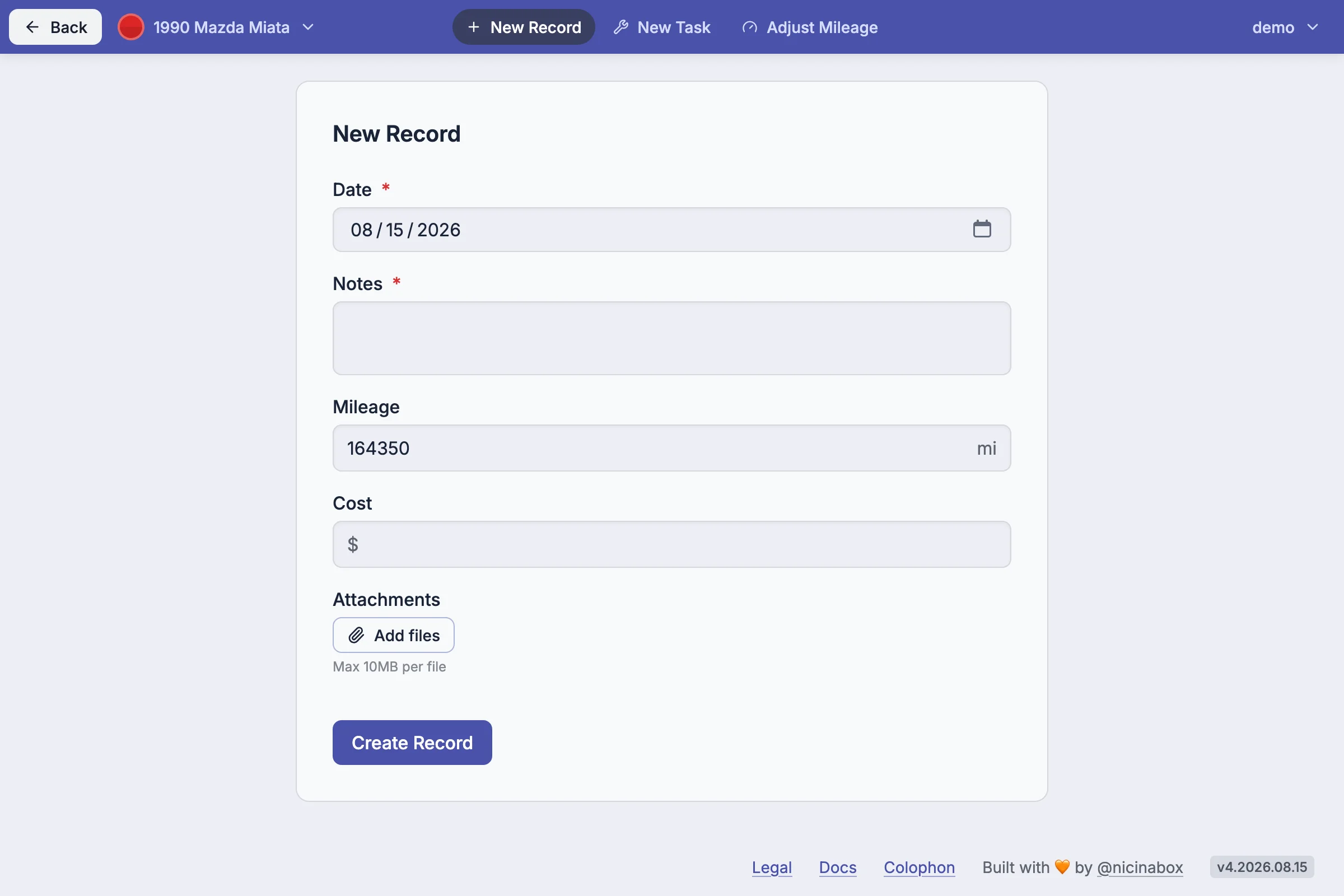
In the app #
Open a vehicle from the Vehicles page, then go to History. The add action opens the record form.
Fields #
A record has:
- Date - when the service was performed. Required.
- Notes - what was done. Required.
- Mileage - odometer reading at the time of service. Optional.
- Cost - what was spent. Optional.
- Attachments - receipts, photos. Optional.
Records can be tagged with classifications. Tags are added in the form beneath the notes field. Spanner can also suggest tags based on the notes - a button labeled Suggest from notes appears next to the notes field for existing records.
Attachments #
Records can carry up to 10 attachments - receipts, photos, PDFs, or any other file. Each attachment has a per-file size limit of 10MB.
In the record form, use the Add files button beneath the Attachments field to choose files. Files appear in a list above the button; remove them with the trash icon before saving.
Existing attachments on a record can be removed by opening the record for editing and clicking the trash icon. The removal happens when the record is saved.
Attachments are stored in a private bucket. They are not visible on the public share URL for the vehicle.
Editing and removing #
Records can be edited or deleted from the History table. Open a record to change its date, mileage, cost, notes, attachments, or classifications.
Notes #
The Projection uses every record on the vehicle, including past ones. Editing a record's date or mileage changes what the Projection uses going forward.
Service Schedules reset based on the most recent record with their classification. Editing an earlier record does not retroactively move the schedule forward - only the most recent matching record matters.